
Settings
The settings page has seven sections with a sticky table of contents that highlights as you scroll. The last cell is search: type to locate, and every change re-lays out immediately.
The seven sections
| Section | What it covers | Related page |
|---|---|---|
| Basics | spacing and the mobile breakpoint | Float and wrap |
| Gallery | row height, count, spacing, orphans | Row splitting, Row height |
| Width | the width curve and gesture switches | Width routing |
| PDF export | paper, margins, page numbers, pagination | Export dialog |
| Float | six structural boundaries | Float and wrap |
| Profiles | template import and export | Import and export |
| Routes | frontmatter matching | Frontmatter routing |
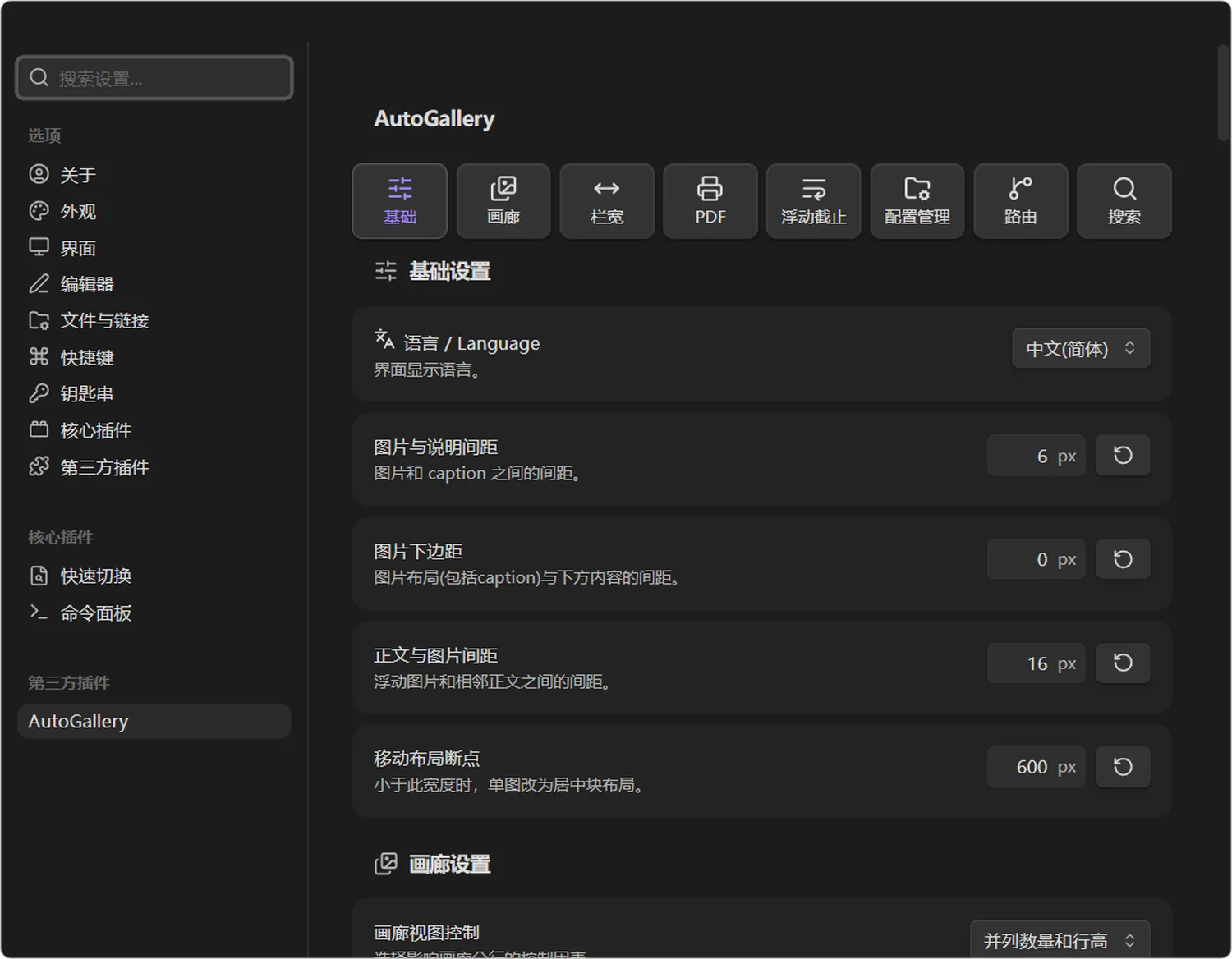
The settings page has seven sections and a sticky index.
Basics
| Setting | Default | Range | Meaning |
|---|---|---|---|
| Image-to-caption gap | 6 | 0–48px | between an image and its caption |
| Image bottom margin | 0 | 0–80px | between the image layout (caption included) and what follows |
| Text-to-image gap | 16 | 0–80px | between a floated image and adjacent text |
| Mobile layout breakpoint | 600 | 320–1200px | below this width a single image becomes a centred block |
Gallery
| Setting | Default | Range | Meaning |
|---|---|---|---|
| Gallery layout control | count and height | count / height / both | what drives row breaking |
| Gallery min height | 100 | 0–200px | floor for a multi-image row |
| Gallery max height | 600 | 120–1200px | above it the row scales down and centres |
| Gallery max per row | 5 | 2–15 | ceiling per row |
| Gallery image gap | 12 | 0–80px | between cells in one row |
| Orphan image max height | 400 | 0–1200px | a single-image row taller than this leaves the gallery; 0 disables |
Width
| Setting | Default | Range | Meaning |
|---|---|---|---|
| Width gain | 50 | 0–100 | higher makes wide images wider and narrow ones narrower |
| Median ratio | 1.5 | 0.2–5 | the ratio mapped to 50% of the column |
| Float max effective width | 60 | 0–100% | a computed width below this may float |
| Drag-to-resize in Live Preview | on | on / off | takes over the corner grip |
| Show alignment arrows | on | on / off | the ‹ › on the empty side |
Float
Six structures, each with its own switch, all on by default. Turning one off means floats cross that structure.
| Setting | Default | Effect when off |
|---|---|---|
| Heading | on | the next section keeps hugging the image |
| Code block | on | code sits beside the image |
| Math block | on | formulas get squeezed |
| Image | on | two images end up side by side |
| Table | on | table columns get squeezed |
| Callout / quote | on | the quote sticks to the image edge |
PDF export
| Setting | Default | Meaning |
|---|---|---|
| Native export interception | on | intercept Obsidian's export; the hidden viewport only guarantees CSS-level layout, not geometric pagination |
| Paper size | Follow Obsidian | A3–Tabloid, or follow |
| Orientation | Follow Obsidian | portrait / landscape / follow |
| Margins | Follow | preset or custom four sides (mm) |
| Mirror odd/even | off | different inner and outer margins |
| Inner / outer | 20 / 12mm | used when mirroring |
| Scale | Follow | 10%–200% |
| Include note title | off | insert the note name before the body |
| Page numbers | on | header or footer, left / centre / right |
| Default print window view | Layout preview | or paginated preview |
| Export timeout | 60s | 5–180s |
| Heading pagination | off | start level h1–h6 |
| Image pagination optimisation | on | shrink a trailing image to fit |
| Orphan control | on | 1–5 trailing lines |
Profiles
| Item | Meaning |
|---|---|
| Template list | shows id, name, float direction |
| Import profiles | layout templates only, validated as a whole file |
| Export all | writes every current template into one file |
| Sample configuration | a copyable rule example |
| Delete template | the built-in auto cannot be deleted |
Routes
| Field | Meaning |
|---|---|
| Field name | the frontmatter key |
| Field value | the value to match |
| Route template | the template used when matched |
| Enabled | whether it participates |
Move rules up and down to reorder them — order is priority.
Search and per-item reset
- Click the search cell at the end of the contents to open a search row; matches get an outline and the counter shows "current / total".
Enterjumps to the next match,Shift+Enterto the previous one.- Section headings count as matches, so searching "gallery" lands on the whole section first.
- The
↺beside each numeric field restores only that field, not the whole section.
Language
Three states: follow Obsidian, Chinese, English. When following, interfaces in any other language fall back to English. Switching updates the settings page and command labels immediately, no restart needed.